
Local Business Growth
Opening a Second Location? 10 Website & Local SEO Updates to Make Before Launch
Opening a second location creates a new physical business opportunity.
It also creates a new digital one.
Your website, Google presence, local search strategy, booking or ordering experience, reviews and measurement all need to recognize that you now operate in more than one place.
The biggest mistake is assuming that because your first location already performs well online, Google and prospective customers will automatically understand the second one.
They may not.
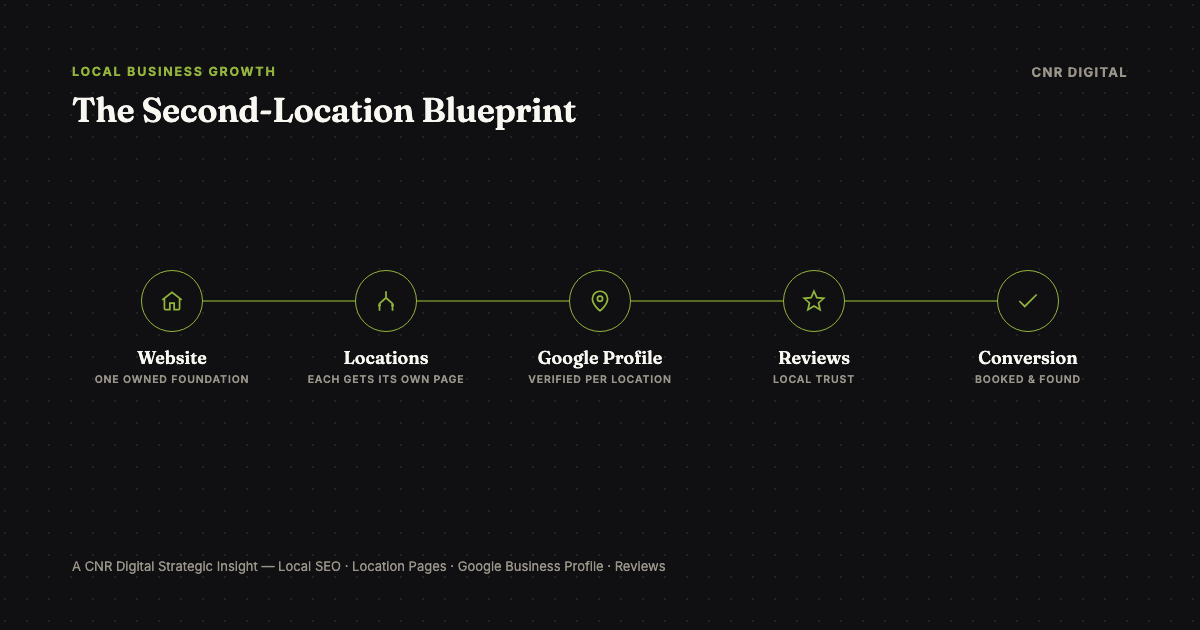
Before launching a second location, update your website architecture, create the appropriate Google Business Profile, establish location-specific information and search relevance, connect the right customer actions, prepare your review strategy and make sure performance can be measured separately for each location.
Here are the 10 updates to make.
1. Give the New Location Its Own Useful Website Page
Start with the website.
Your new location should normally have a dedicated page with its own URL instead of simply adding another address to the footer.
For example, /locations/montclair is much more useful than mentioning Montclair in one sentence on the homepage.
A good location page should answer the questions someone considering that specific location actually has:
- Where is it?
- What are the hours?
- What services, products, menu items or experiences are available there?
- How do I call, book, reserve, order or inquire?
- Is parking available?
- What area does the location serve?
- Is anything different from the original location?
The page should exist because customers need it, not merely because you want another page to rank.
That distinction matters.
Google's spam policies warn against doorway pages and substantially similar regional pages created mainly to funnel search traffic.
If your new-location page could be changed into the old-location page by replacing one city name, it probably isn't useful enough yet.
2. Establish the Correct Google Business Profile for the Location
A legitimate second physical location will generally need to be represented as its own real-world location within your Google Business Profile presence.
Google says businesses should create profiles for actual real-world locations and should not create more than one profile for each location. Google also recommends consistency in business names and categories across locations of the same brand when they provide the same service.
That means your second profile needs accurate information such as:
- business name
- new address
- appropriate primary category
- phone number
- website/location-page URL
- hours
- opening information
- photographs
- relevant attributes
Don't turn the business name into a keyword list.
And don't create fake offices simply to appear in additional cities.
The digital entity should match the physical business customers can actually visit.
What About Service-Area Businesses?
Contractors and other service-area businesses require additional care.
Google distinguishes between storefront businesses and service-area businesses. A service business operating from different legitimate locations with separate staff and service areas may qualify for separate profiles, while a business simply covering a wider radius should not manufacture additional locations. The same official Google Business Profile guidelines linked above apply here.
Expansion strategy and Google Business Profile eligibility are not the same thing.
3. Update Your Website Navigation Before Customers Start Searching
Once you have more than one location, customers should not have to figure out which address applies to them.
Your navigation may need to evolve from:
About | Services | Contact
to something closer to:
About | Services | Locations | Contact
A restaurant might use:
Menu | Locations | Reservations
A salon might use:
Services | Team | Locations | Book
A home-service business might instead use an Areas We Serve structure.
The architecture should match how customers actually choose.
For two locations, a simple Locations page that links to each individual location page is often enough. As the business expands further, that structure becomes even more important.
4. Make Your Name, Address, Phone, Hours and Links Location-Specific
Expansion creates opportunities for information to become inconsistent.
Before launch, audit everywhere customers might encounter the business.
Check:
- website
- Google Business Profile
- Apple Maps
- social profiles
- reservation platforms
- booking platforms
- ordering platforms
- industry directories
- local directories
- email signatures
- contact pages
- advertising landing pages
Your new location should not have one opening time on Google, another on Instagram and a Coming Soon message on the website after the doors have already opened.
Accuracy is part of conversion.
Someone who cannot determine whether a location is open may simply choose a competitor.
This is especially important during the first few weeks, when hours, menus, staffing and operating details may still be changing.
5. Add Location-Specific Structured Data
Structured data can help search engines understand the entity represented by a page.
Google recommends defining each local business location as a LocalBusiness type and using the most specific relevant subtype where appropriate, such as Restaurant or DaySpa.
For each legitimate location, appropriate structured data can include information such as:
- business type
- business name
- address
- telephone
- hours
- URL
- geographic information where appropriate
Do not add structured data merely because a field exists. The structured information should match information customers can actually see and verify on the page.
The goal is consistency:
real business → website content → structured data → Google Business Profile
6. Create the Right Conversion Path for Each Location
Getting found is not enough.
A customer who discovers the second location needs to reach the correct next step.
That might be:
- Reserve a Table
- Order Online
- Book an Appointment
- Request an Estimate
- Call This Location
- Schedule Service
- Get Directions
- Ask About Catering
- Contact This Store
Avoid sending every location through the same generic button if different locations have different phone numbers, booking calendars, menus, inventory or service areas.
Consider a restaurant opening its second location. If someone lands on the new location page but the Reserve button silently sends them into the reservation calendar for the original restaurant, the SEO worked and the customer experience failed.
Every important action should be tested before launch.
7. Build Location-Specific Search Relevance Without Copying Pages
A second location gives the business a legitimate reason to discuss a second market.
Use that opportunity intelligently.
The location page can naturally explain:
- the neighborhood
- relevant services
- what the location offers
- nearby landmarks
- local operating information
- location-specific experiences
- actual projects or customers served
- photographs from the location
- events
- unique products or menus
What you should not do is create dozens of thin pages for surrounding cities merely because you want to rank there.
A real expansion creates real local information. Use that information in the same way CNR Digital's guide to local SEO for New Jersey small businesses approaches discovery and conversion for a single location.
8. Develop a Review Strategy for the New Location
Your first location may already have years of strong customer reviews.
Your second one will not.
That doesn't mean reviews from the original business suddenly stop mattering to your brand, but the new location needs to begin building its own customer reputation.
Create a simple process for requesting honest feedback from actual customers after the new location starts serving them.
Also make sure someone is responsible for monitoring and responding to reviews. Google recommends responding to reviews and notes that useful responses demonstrate that a business values customer feedback.
Do not buy reviews or manufacture them.
Your objective is not to create the appearance of reputation. It is to let the new location's actual customer experience gradually create one.
9. Tell Your Existing Customers About the Expansion
One advantage an established business has when opening another location is that it is not starting completely from zero.
You may already have:
- customers
- followers
- email subscribers
- SMS subscribers
- website visitors
- referral partners
- community relationships
Use them.
Before opening, communicate:
- where the new location will be
- when it will open
- what will be offered
- whether anything is different
- who the location is intended to serve
- how customers can book, visit or stay informed
This is where owning customer relationships becomes valuable.
Instagram and Google can help people discover the expansion. An email or SMS audience gives the business a way to communicate directly with people who already know the brand.
If your business has never built an owned customer audience, expansion is a good reason to start.
10. Separate Performance Measurement by Location
Finally, make sure you can answer:
Is the new location's digital presence actually working?
Track meaningful actions separately where possible.
For the new location, that might include:
- organic entrances to the location page
- non-branded local search queries
- Google Business Profile website clicks
- direction requests
- calls
- reservation clicks
- online bookings
- ordering clicks
- lead-form submissions
- estimate requests
- email/SMS signups
Google Business Profile performance reporting includes metrics such as calls, directions, website clicks and eligible bookings.
Your website analytics should then provide the next layer. For example:
Google search → new location page → reservation click
is much more useful than simply knowing that total website traffic increased.
Measurement helps you distinguish opening-week attention from sustainable customer acquisition.
When Should You Start the Digital Work?
Ideally, before the new location opens.
You don't need every photograph, review or final promotion available on day one.
But the basic digital foundation should not be an afterthought.
Before opening, aim to have:
- the location represented accurately on the website
- its primary customer actions working
- Google Business Profile preparation underway
- local information consistent
- tracking established
- launch communication planned
Then keep improving once real customers begin interacting with the location.
Opening day will reveal things you couldn't know beforehand:
Which services generate interest? What questions are customers asking? Which local searches appear? Which page elements get used? Where are customers getting confused?
A second location should not be treated as a one-time website update. It is a new customer-acquisition system that needs to mature with the business.
The Bigger Principle: Your Digital Presence Has to Expand With the Business
Physical growth and digital growth should happen together.
When a company adds a restaurant, salon, storefront, office or service territory but leaves its website and customer journey behind, it creates a gap.
The business has changed.
The internet still thinks it hasn't.
Your goal is to close that gap before customers experience it.
Give each legitimate location the digital foundation it needs to be discovered, understood, trusted and acted upon, while keeping every location connected to one coherent brand.
Frequently Asked Questions
What should I update online when opening a second location?
Give the new location its own website page, create a correctly configured Google Business Profile for it, update site navigation, keep name/address/phone/hours consistent everywhere, add location-specific structured data, build a working conversion path, develop a review strategy, tell existing customers, and set up separate performance tracking for the new location.
Does a second business location need its own Google Business Profile?
Generally, yes. A legitimate second physical location needs to be represented as its own real-world location in Google Business Profile, with accurate name, address, category, phone number and hours. Service-area businesses have additional rules: a wider service radius alone doesn't justify a second profile.
Should each business location have its own webpage?
Usually yes, rather than adding an address to the footer. A dedicated location page can answer the specific questions someone considering that location has, including hours, services, booking, parking and service area, which a single shared page can't do well for more than one address.
How do I do local SEO for multiple locations?
Give each legitimate location its own useful page, a correctly configured Google Business Profile, consistent NAP information, location-specific structured data, a working conversion path, and genuine local content about that location, without creating near-duplicate pages that only swap a city name.
How do I avoid duplicate or spammy location pages?
Make sure each page exists because customers need it, not only because you want it to rank. If a location page could become a different location's page by swapping one city name, it isn't differentiated enough yet: that pattern is close to what Google's spam policies describe as doorway pages.
What schema should a multi-location business use?
Define each legitimate location as a LocalBusiness type (using the most specific relevant subtype, such as Restaurant), with information that matches what's visible on the page and in Google Business Profile. This kind of schema belongs on the actual location pages, not layered onto an unrelated article or blog post that simply discusses local business.
How do I track leads separately for multiple business locations?
Track meaningful actions per location, such as organic entrances to the location page, Google Business Profile calls/directions/website clicks, reservation or booking clicks, and lead-form submissions, rather than relying on total site traffic, which can't tell you whether a specific location's digital presence is working.
Opening a New Location?
Make Sure Your Digital Presence Expands With It.
CNR Digital's Brand Growth System helps local businesses build and manage the website, visibility, customer capture, review growth, follow-up and ongoing digital foundation behind their growth.
Explore the Brand Growth SystemPrefer to talk through your digital presence first? Start a conversation with CNR Digital.
Continue Reading
Related Insights
Local Business Growth
Local SEO for New Jersey Small Businesses: How to Get Found and Turn Searchers Into Customers
Local SEO is about more than ranking on Google Maps. Learn how your website, Google Business Profile, reviews and customer experience can work together to turn local searches into customers.
Restaurant Growth
Opening a Restaurant in New Jersey or New York? Your First 90 Days Digital Launch Checklist
Opening day is only the beginning. Use this 90-day digital launch checklist to build your restaurant website, local search presence, reviews, reservations and customer relationships from the start.
Restaurant Growth
Restaurant Website Design in New Jersey: What Your Website Needs to Turn Searches Into Reservations
A restaurant website should do more than show your menu. Learn what New Jersey restaurants need to turn local searches into reservations, visits and repeat customers.